Starting from the 31th March 2026, users who are not signed into Zendesk and submit a helpdesk query via the Contact Us form in our Help Centre will be required to verify their email address before their request is sent.
How does it work?
After submitting the query form, a notification will appear, saying that the request has not yet been submitted (screenshot below).
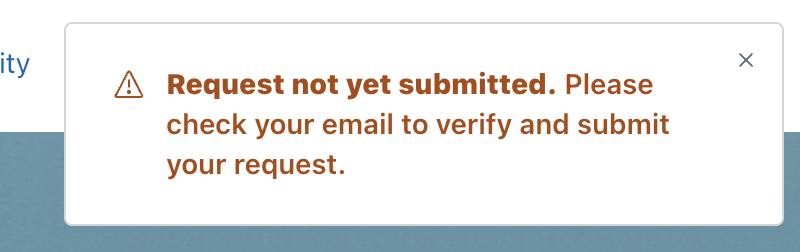
A verification email will be sent to the email address you provided. Open the email and click the one‑time verification link.
After clicking the one-time link in the email, a landing page with a success message will appear (screenshot below).
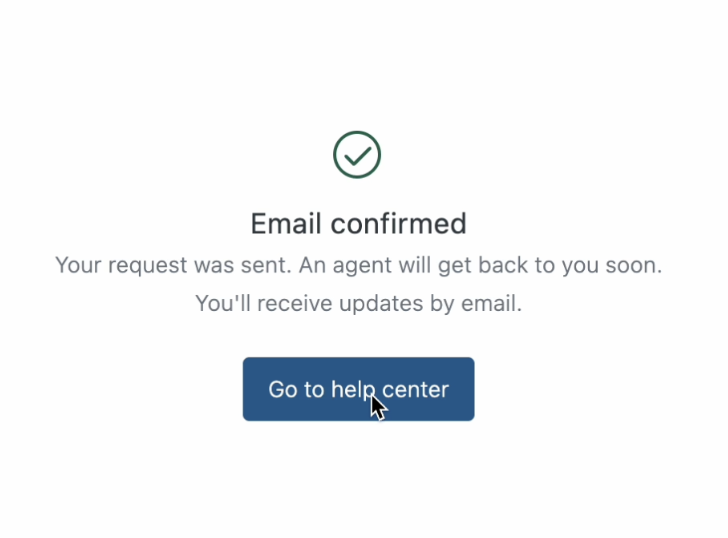
Once verified, our team will receive your query and will respond within 48 working hours.
Why is this happening?
This measure will reduce the 'spam noise' in our inbox and increase the time our helpdesk agents have to respond to legitimate tickets generated by real customers.
I did not receive a verification email
If you are unable to find the verification email, please contact the helpdesk team directly at plsclear@pls.org.uk. We will be able to recover your previous ticket and assist you directly.
Let us know your feedback
PLSclear is dedicated to providing a professional and responsive service to all users. We value any opportunity to hear from you about how you rate and use PLSclear, and the areas you feel we could make changes to better suit your needs.